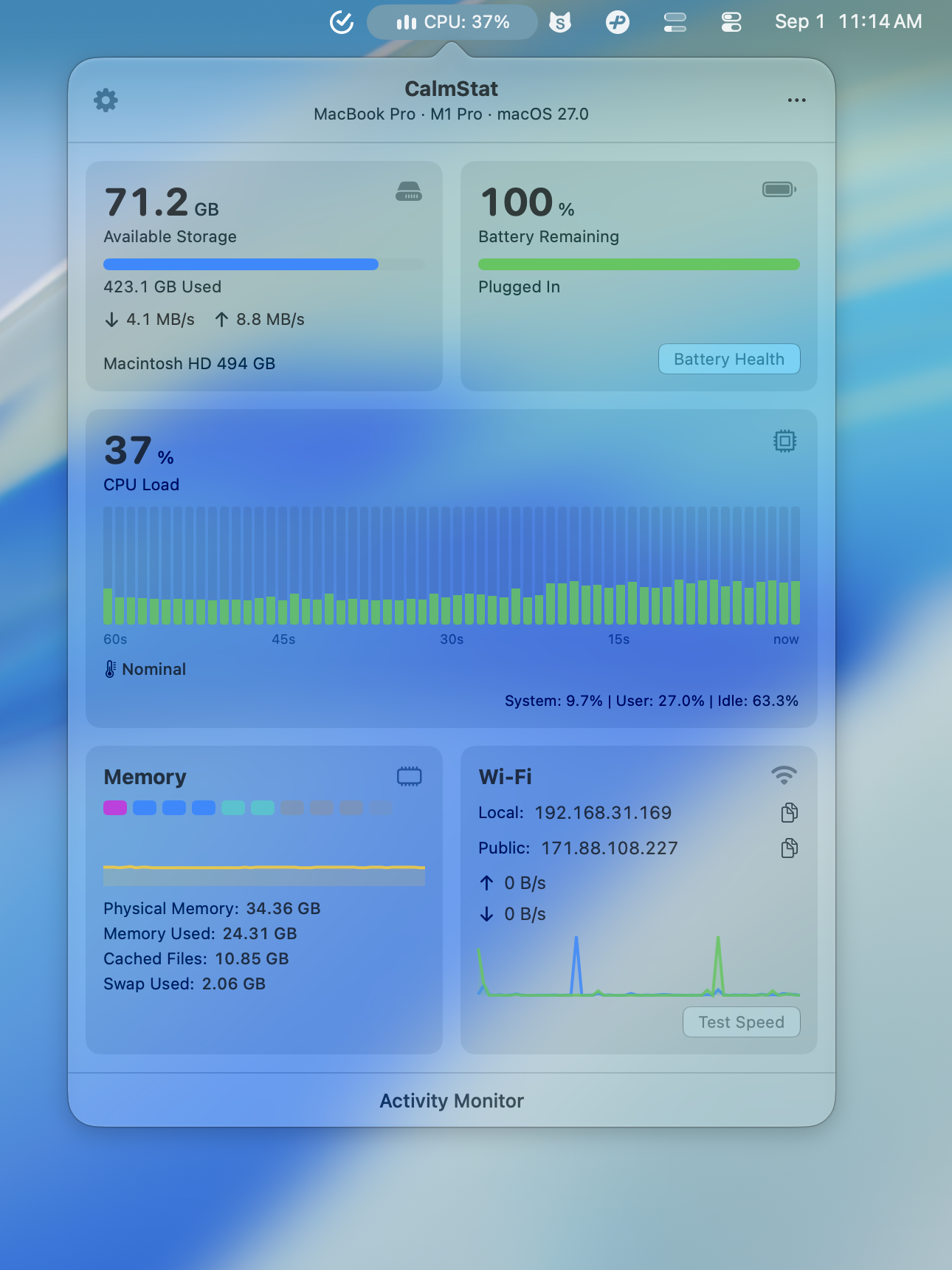
Mac menu bar system monitor

System monitoring that feels at home on macOS.

CalmStat keeps CPU, memory pressure, storage, battery, network speed, and temperature visible from the menu bar without turning your desktop into a control room.

Direct download or Mac App Store. 7-day free trial, one-time purchase.

CalmStat native Mac menu bar system monitor showing CPU, memory, network, and battery status

For Mac users who want system health visible at a glance, without keeping Activity Monitor open all day.

What a menu bar monitor should solve

System monitoring is most useful when it is present before something feels wrong. CalmStat puts the everyday signals in one quiet place, so heat, pressure, low space, or network issues are easier to notice early.

  • See CPU, memory, storage, battery, network, and temperature without switching apps.
  • Keep the menu bar readable instead of crowding it with noisy numbers.
  • Open a native popover only when you want detail.

Why Activity Monitor is not always enough

Activity Monitor is powerful, but it is a separate window built for investigation. CalmStat is built for awareness: the lightweight checks you want before deciding whether to dig deeper.

  • Use CalmStat for quick status and trends.
  • Use Activity Monitor when you need deeper process inspection.
  • Move from glance to detail without losing context.

How CalmStat fits into daily Mac use

CalmStat is designed to stay out of the way until the Mac needs attention. The app is native, polished, and intentionally restrained, with system metrics processed locally on your device.

  • SwiftUI interface that feels like part of macOS.
  • Desktop widgets for glanceable system state outside the menu bar.
  • Local-first history and threshold alerts without app telemetry.

CalmStat

Native, polished, and practical

The difference is not just the metrics. CalmStat is built around a calmer Mac experience: the kind of utility that can live in your menu bar every day and still feel refined.

  1. 01

    Native SwiftUI app for macOS 14 and newer.

  2. 02

    Polished visual hierarchy for fast scanning.

  3. 03

    Lightweight idle behavior with adaptive sampling.

Questions this page answers

Is CalmStat a replacement for Activity Monitor?

CalmStat is best for always-available monitoring and quick diagnosis. Activity Monitor is still useful for deep process inspection.

Does CalmStat run from the menu bar?

Yes. CalmStat lives in the macOS menu bar and opens a native popover for detailed CPU, memory, storage, battery, network, and temperature information.

Does CalmStat upload system metrics?

No. System metrics stay on your Mac. The app has no telemetry, and network requests are limited to clearly disclosed features such as public IP lookup, speed tests, updates, and purchase validation.