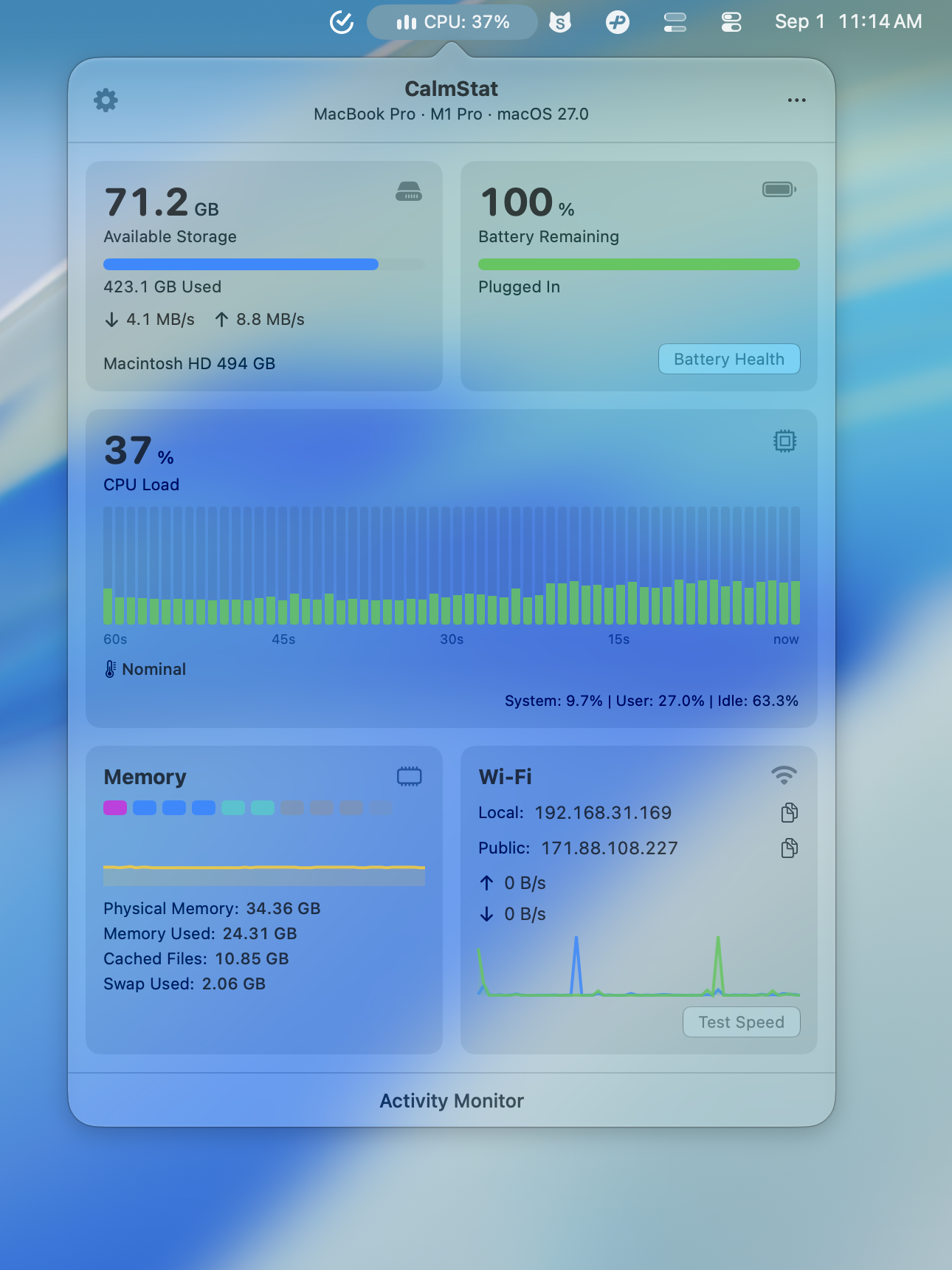
Mac CPU monitor

When your Mac feels hot or slow, start with CPU.

CalmStat shows CPU load, system and user split, top processes, temperature, and fan speed from a native menu bar monitor, so you can spot pressure before the Mac feels stuck.

Direct download or Mac App Store. 7-day free trial, one-time purchase.

CalmStat native Mac menu bar system monitor showing CPU, memory, network, and battery status

For Mac users trying to understand heat, fan noise, slowdowns, or sudden CPU spikes without leaving Activity Monitor open.

When a Mac feels hot or slow

A CPU spike is often the first clue. CalmStat makes the signal visible before you start closing apps at random.

  • Watch real-time CPU load from the menu bar.
  • Separate system and user CPU activity.
  • See temperature and fan speed alongside load.

What to check before force quitting apps

The important question is not just whether CPU is high, but which process is causing it and whether the Mac is also under thermal pressure.

  • Check top processes before interrupting your work.
  • Compare CPU load with temperature and fans.
  • Use recent history to see whether the spike is temporary.

A calmer CPU workflow

CalmStat gives you the everyday CPU view in a polished macOS interface. You can keep an eye on the Mac without turning monitoring into another window to manage.

  • Native menu bar popover for fast checks.
  • Threshold alerts when CPU stays high.
  • Desktop widgets for lightweight status outside the menu bar.

CalmStat

More than a number in the menu bar

A useful Mac CPU monitor should be readable, quiet, and fast. CalmStat combines CPU data with the surrounding context that helps you decide what to do next.

  1. 01

    CPU load, top processes, temperature, and fans in one glance.

  2. 02

    Native, polished interface that feels at home on macOS.

  3. 03

    Local-first metrics with no app telemetry.

Questions this page answers

Can CalmStat show which app is using CPU?

Yes. CalmStat shows top processes so you can identify likely causes of CPU spikes before deciding whether to quit an app.

Can CalmStat help when my Mac fan gets loud?

Yes. CPU load is shown alongside temperature and fan information, which helps you understand whether fan noise is connected to CPU pressure or heat.

Is CalmStat lightweight enough to run all day?

Yes. CalmStat is designed for low idle overhead with adaptive sampling, so it can stay in the menu bar as a daily monitor.